
Advanced permaculture search
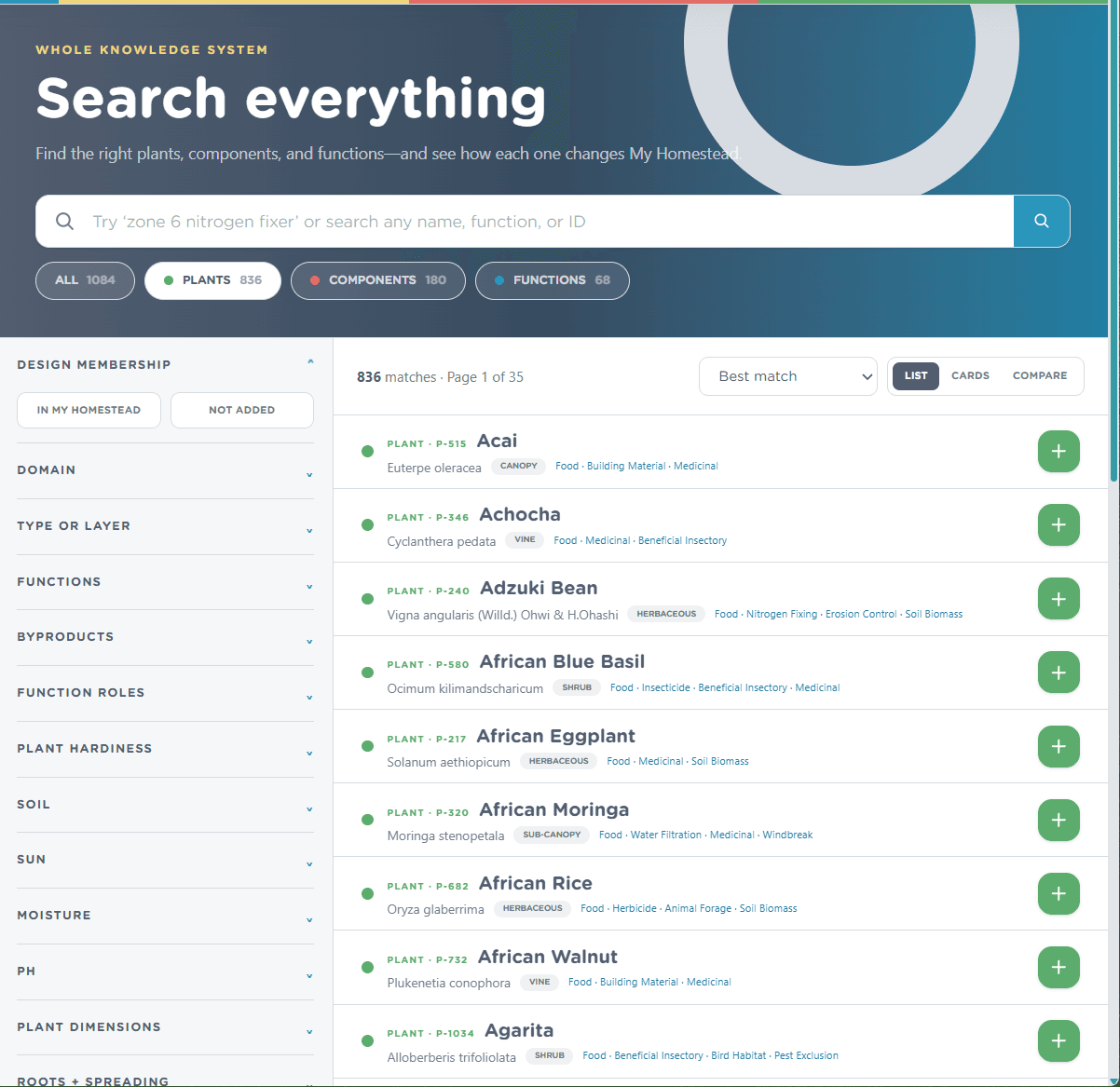
Find the right plant for the job.
Know what you need? Search plants, components, and functions together. Not sure where to start? Search by the job you need done.
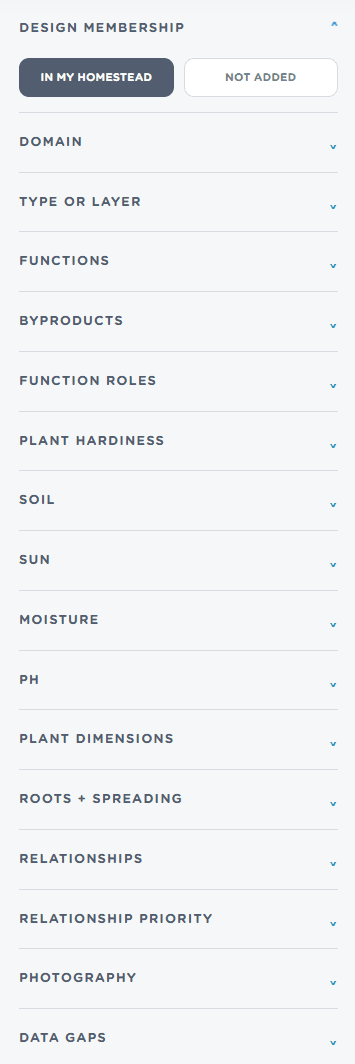
Narrow the results to what suits your land, compare the options, and add the right fit to your Design without leaving the page.
Seven days free, no card · then $30/year

Seasonal planning
Plant at the right time for your land.
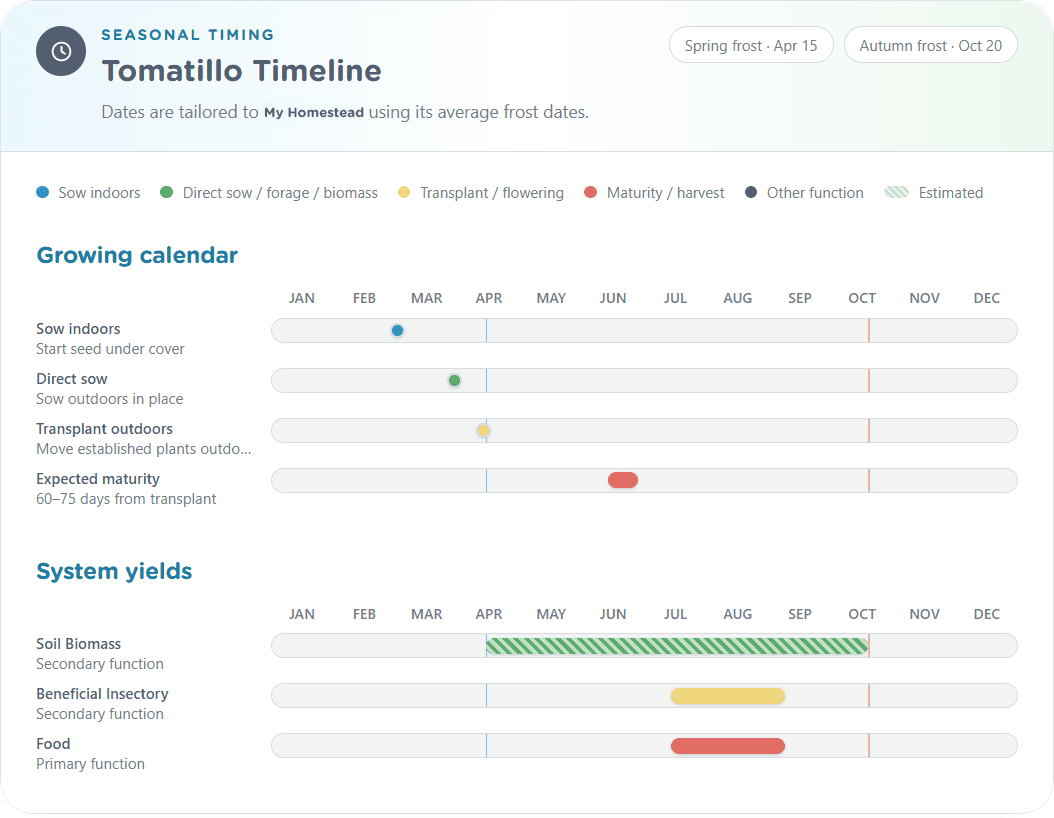
Tell us your last spring frost and first autumn frost. We’ll turn them into a simple timeline showing when each plant should get started, go into the ground, and be ready to harvest.
You’ll also see when the plant is doing useful work across the season—from feeding pollinators to producing food or building biomass. Estimates are clearly marked, so you know what is documented and what is a sensible place to start.
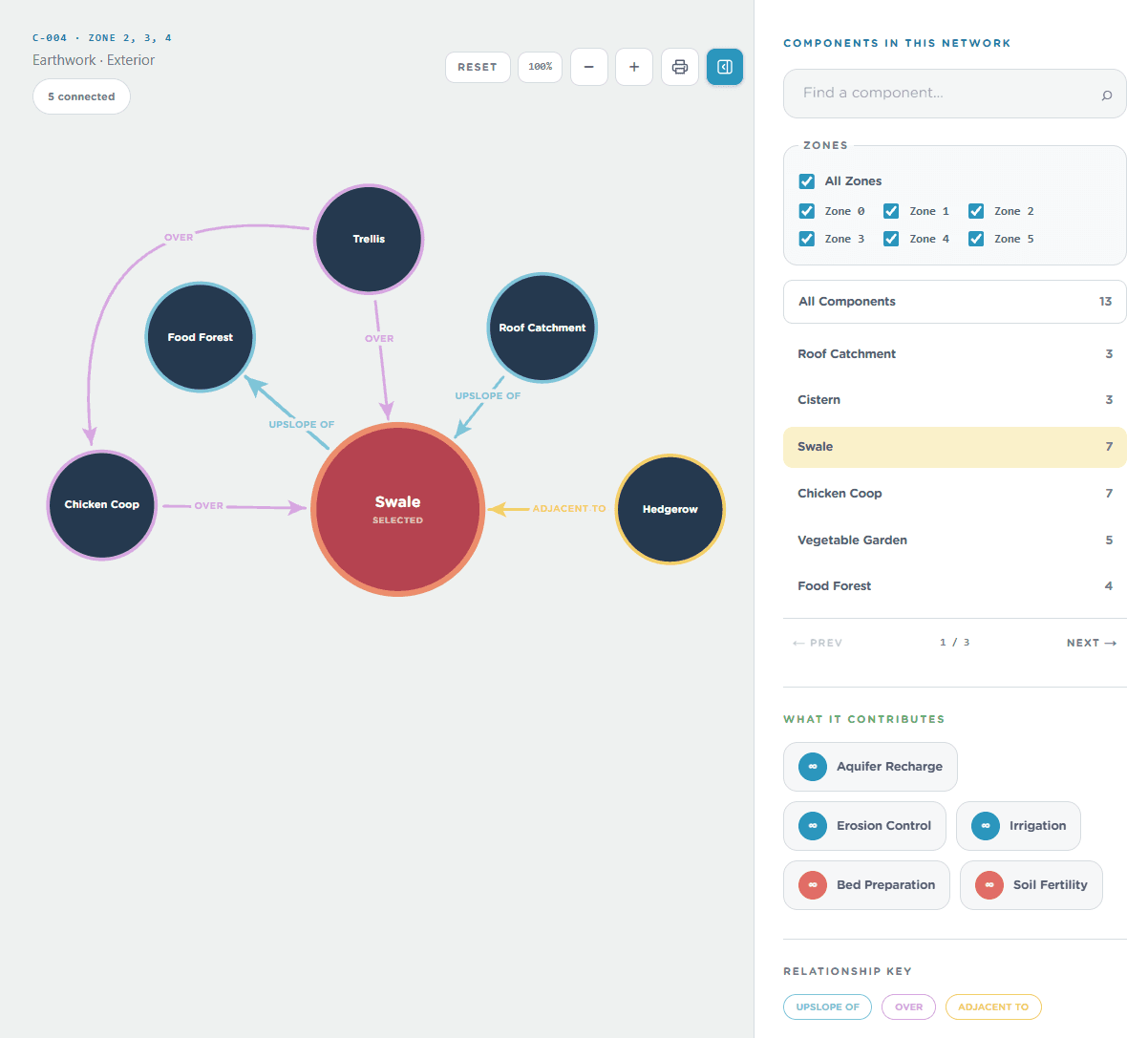
Relative placement and positioning
See where components belong in relation to one another.
Permaculture is shaped by relationships: a catchment sits upslope of storage, a trellis may stand over a run, and a fertility source can serve the land below it. The placement network turns those statements into a navigable map.
Focus a component, trace its connected rules, filter the network by zone, and inspect what each element contributes. The map does not replace site observation; it keeps design intent visible while you decide what fits the land.
Guided plant guild design
Build a polyculture with feedback while the choices are still easy to change.
The Guild Creator summarizes the plants you select as one assembly. It compares shared USDA zones, pH, soil, and moisture requirements; counts occupied forest layers; and shows which functions appear across the group.
Compatible requirements are highlighted as useful signals, while conflicts are made visible before you save. Create private working guilds or publish them so other members can discover and adapt the pattern.
Don’t want to start from scratch? Browse guilds shared by other growers, save a promising one to your own Design, and shape it to fit your land. It's an easy way to gain inspiration and discover good ideas.
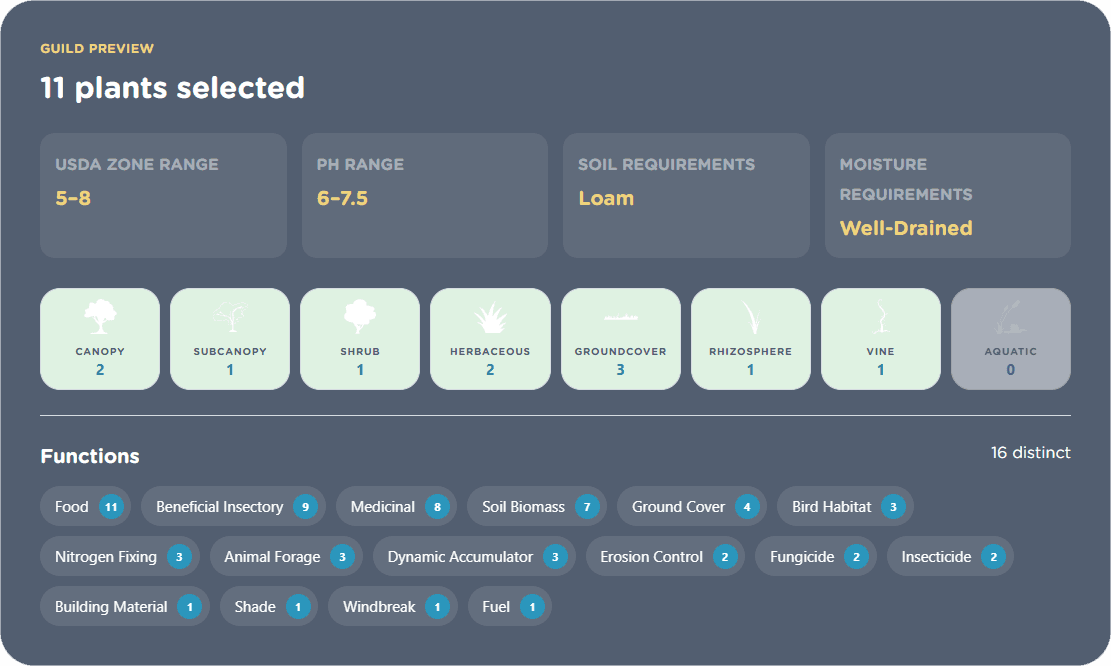
Assembly overview: shared growing requirements, vertical layers, and stacked functions remain visible together.
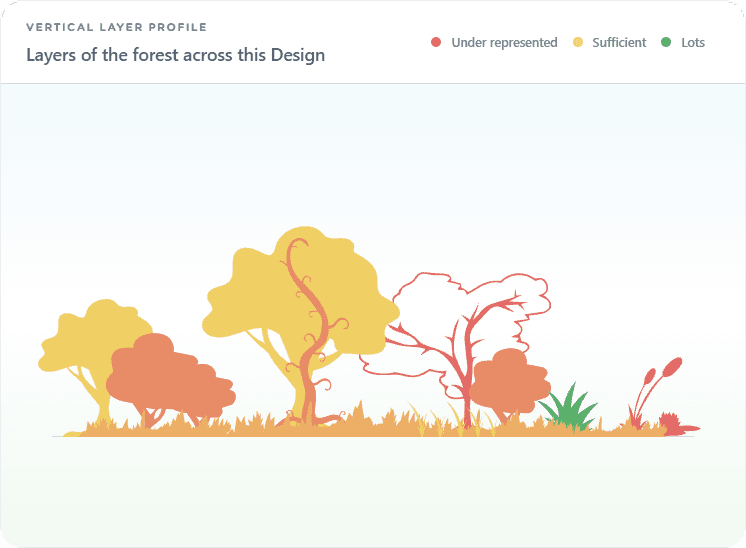
The vertical layer profile shows how the current Design occupies physical space.
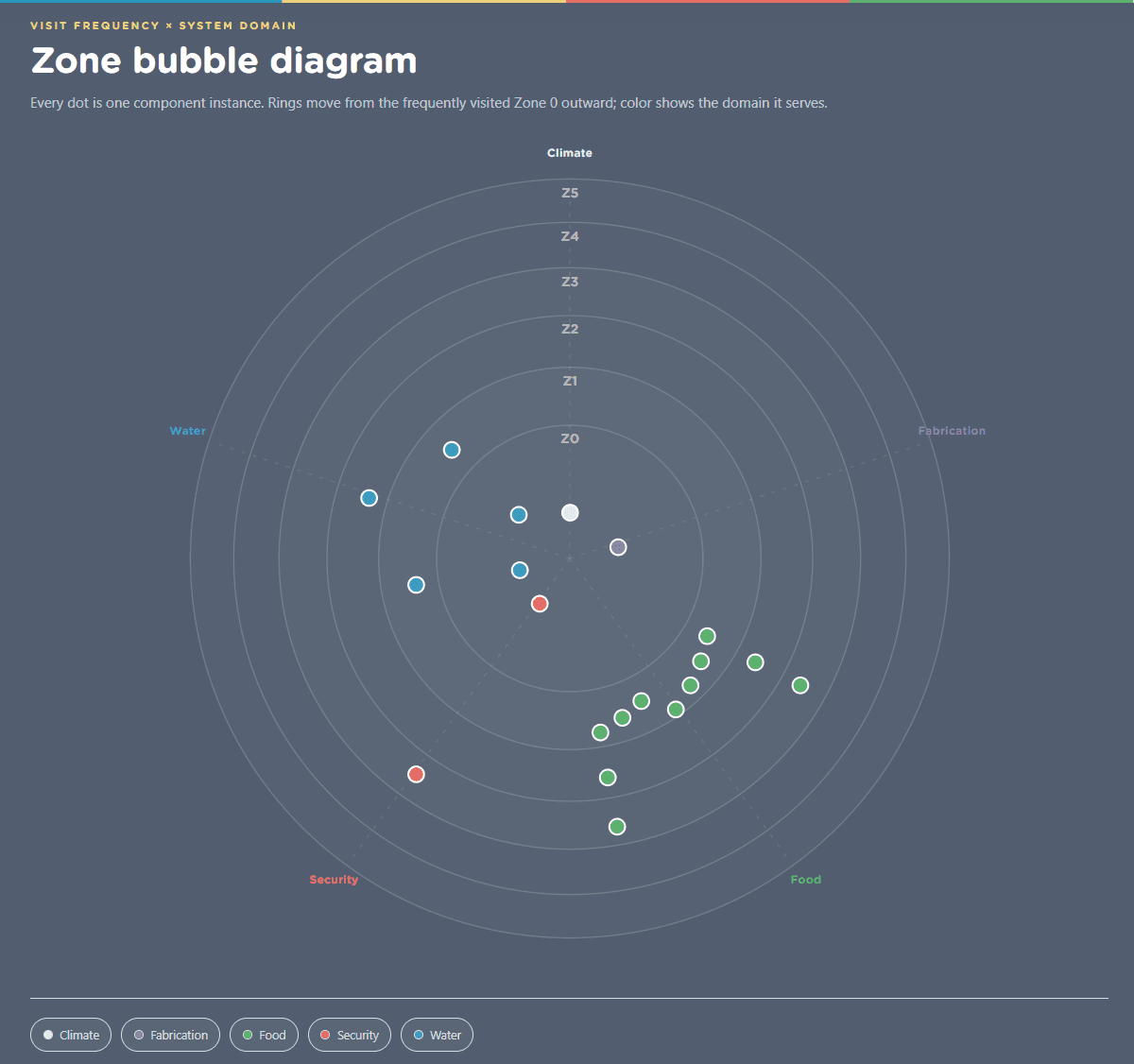
Permaculture zones and component instances
Organize the same kind of component wherever the system needs it.
Zones help organize a Design by visit frequency, while domains show the kind of work each element serves. The bubble diagram brings those dimensions together so density and neglected areas are easier to notice.
Components support multiple instances. You might place roof catchment on the house in Zone 0 and another catchment on a barn in Zone 2. Each occurrence can be named and assigned independently.
Whole-system checks
Find strengths, weak links, and single points of failure.
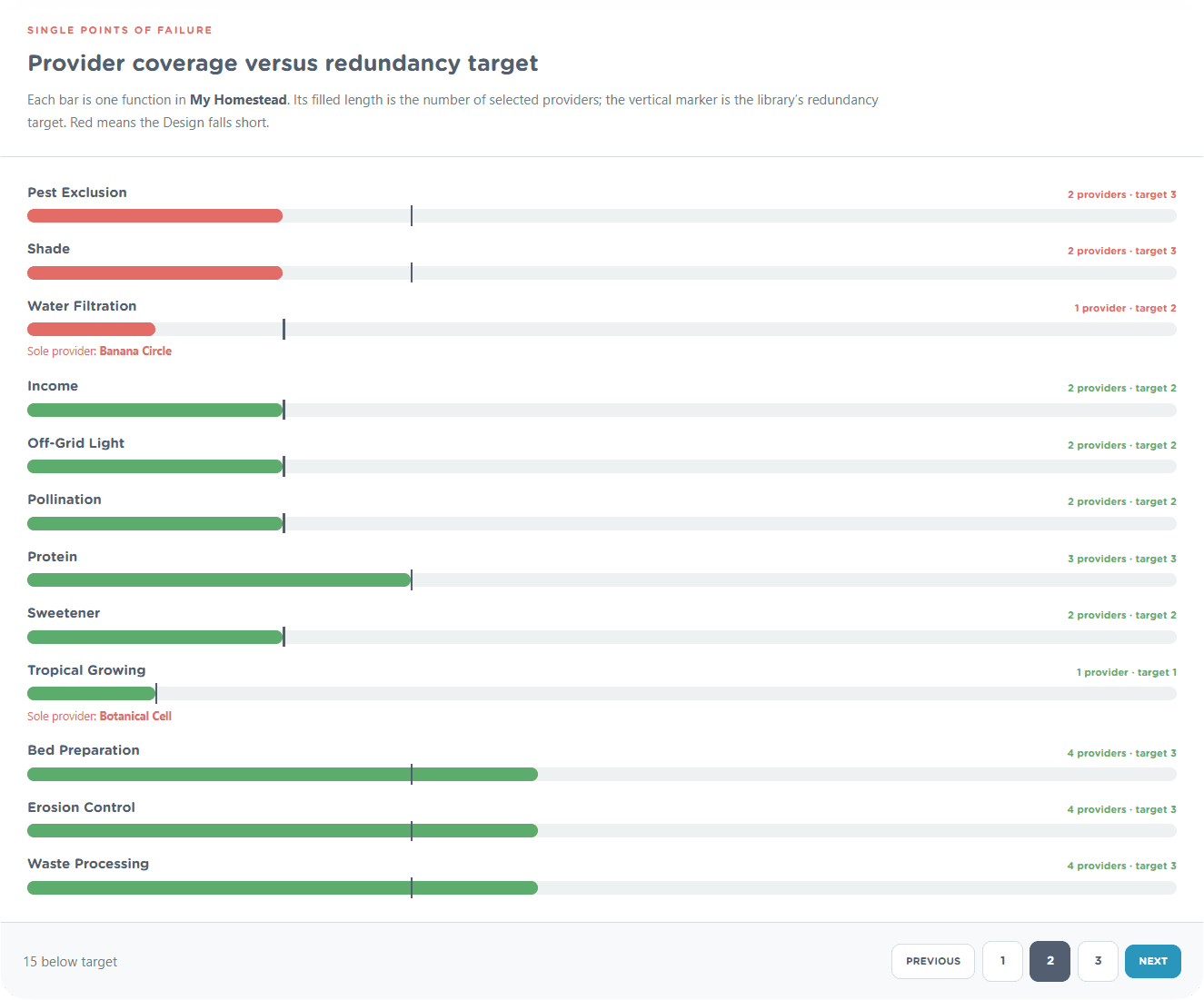
Adding an element is only the beginning. Permaculture Data counts which selected plants and components provide each function, then compares that coverage with the function’s redundancy target.
Green shows coverage meeting the target. Red identifies a shortfall, including a sole provider whose failure would leave an essential need unsupported. These are design prompts—not guarantees—meant to focus the next round of research and observation.
Build, observe, improve
Give every element a reason to be there.
Start with the knowledge library, shape it around your site, and let the relationships reveal the next useful question.